
Creating Bin Locations for Inventory: The Simple System That Saves Time, Money, and Sanity
If your inventory setup currently relies on memory, loose categories, and the ancient ritual of “I know it’s around here somewhere,” it is time to create bin locations.
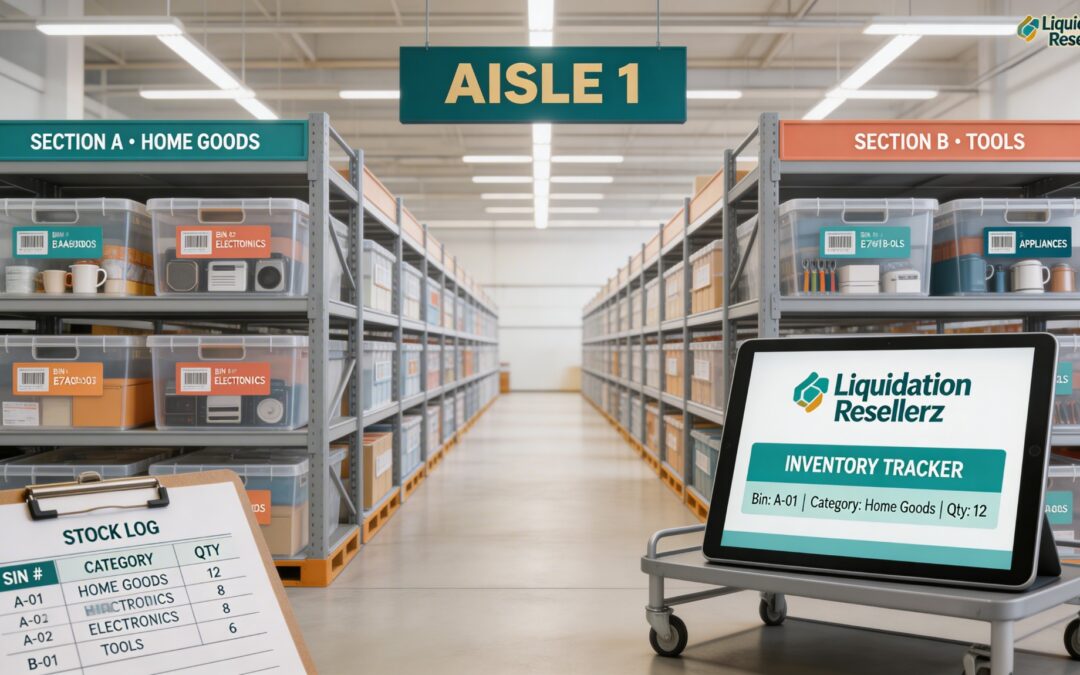
Bin locations are simply named storage spots for your inventory. They can be shelves, totes, racks, drawers, pallets, or sections of a room. The point is not complexity. The point is that every item has a home, and every home has a name. Businesses that use inventory systems with bin or sublocation tracking tie products to specific storage spots, often with barcode scanning, which makes receiving, counting, and picking much more accurate. Source: https://www.zoho.com/inventory/bin-locations/
For resellers, liquidation sellers, and growing e-commerce operations, bin locations are one of the easiest upgrades you can make. They reduce wasted time, cut down on lost items, make stock counts easier, and help you scale without your inventory turning into a chaotic cave of mystery boxes. Guidance from Shopify, Zoho, NetSuite, and inFlow all points in the same direction: clear labeling, SKU-based organization, and location tracking improve control and speed. Source: https://help.shopify.com/en/manual/products/inventory/fundamentals/understanding-inventory-management
What Is a Bin Location?
A bin location is a specific, labeled place where inventory is stored. It could be something like:
A-01-03
Warehouse 1 / Shelf B / Bin 4
Rack 2 / Tote 7
Overflow / Pallet 3
The naming system does not need to be fancy. It needs to be consistent. Many inventory tools support “locations” and “sublocations,” which means you can track not just the warehouse or room, but also the exact aisle, shelf, or bin where an item sits. Source: https://www.inflowinventory.com/support/cloud/can-i-track-specific-locations-like-aisle-numbers-bin-numbers-etc
Why Bin Locations Matter
The biggest benefit is speed. When every item has an assigned location, you no longer waste time hunting for it. That matters when you are listing products, pulling orders, checking stock, or trying to figure out whether you really have three of something or whether two of them vanished into the retail underworld.
Bin locations also improve accuracy. Shopify recommends organizing inventory with SKUs and regular updates, while warehouse and stockroom guidance stresses clearly labeled sections for each product category and SKU. In warehouse systems, barcode scanning and bin management are used specifically to improve picking, cycle counting, and stock visibility. Sources:
https://help.shopify.com/en/manual/products/inventory/fundamentals/understanding-inventory-management
https://www.shopify.com/blog/stockroom-organization
https://www.zoho.com/inventory/bin-locations/
There is also a scaling benefit. A small operation can survive on memory for a while. A larger one cannot. Once you are handling pallets, mixed lots, returns, or multi-channel sales, memory stops being a system and starts being a liability dressed as confidence.
Start With a Simple Naming Structure
The best bin location system is one you will actually use. Keep it readable and expandable.
A simple format might look like this:
Room-A-Shelf-Bin
Examples:
GAR-A-01
GAR-A-02
BASE-B-01
WH1-R1-S2-B3
You can interpret those however you want:
GAR = garage
WH1 = warehouse 1
R1 = rack 1
S2 = shelf 2
B3 = bin 3
The important thing is that the code tells you exactly where to go. If you need more detail later, you can add it. If you start overly complicated, your future self will rebel, and rightly so.
Assign Every Item a Home
Each item should have one primary location. That matters because mixed logic creates mixed results. If an item sometimes lives on Shelf A, sometimes in a tote near the door, and sometimes “wherever there was room,” you do not have a location system. You have a scavenger hunt.
inFlow’s warehouse guidance recommends storing products in one primary sublocation and keeping one product type per bin where possible. It also recommends separate overflow locations for excess inventory. Source: https://www.inflowinventory.com/blog/optimize-your-warehouse-fulfillment-process-with-street-style-routing/
A clean approach looks like this:
Primary bin for active stock
Overflow bin for extra quantity
Damaged/untested area kept separate
Incoming inventory area kept separate
Unlisted inventory area kept separate
That last one matters a lot for liquidation sellers. Listed and unlisted inventory should not mingle like drunken cousins at a reunion.
Use Labels Big Enough for Human Eyes
A bin system only works if you can read it quickly. Labels should be visible from where you actually stand, not just from six inches away with the optimism of an eagle.
Print or write labels clearly and place them in the same position on every shelf, tote, or rack. If you can barcode them, even better. Zoho’s bin location tools and NetSuite’s warehouse tools both emphasize scanning and location-level stock visibility because those features reduce manual errors and make counts faster. Sources:
https://www.zoho.com/inventory/bin-locations/
https://www.netsuite.com/portal/products/erp/warehouse-fulfillment/wms.shtml
Even if you are not using advanced software yet, physical labels are step one. Fancy software sitting on top of sloppy shelves is just expensive confusion.
Pair Bin Locations With SKUs
Bin locations tell you where an item is. SKUs tell you what it is.
Those two belong together. Shopify’s inventory guidance recommends setting up SKUs and updating records regularly, and its SKU guide explains how structured SKU systems help identify products efficiently. Sources:
https://help.shopify.com/en/manual/products/inventory/fundamentals/understanding-inventory-management
https://www.shopify.com/il/blog/what-is-a-stock-keeping-unit
A product record might look like this:
SKU: TOY-MARVEL-SPIDEY-001
Bin: GAR-A-03
Or:
SKU: VAC-DYSON-V8-PARTS-002
Bin: WH1-R2-S1-B4
When you combine SKU discipline with bin discipline, order pulling gets dramatically easier. It also becomes much easier to train other people, because the system lives outside your head.
Create Zones Before You Create Bins
Before labeling every tote, think in zones. This prevents nonsense later.
Examples of zones:
Receiving
Testing
Cleaning
Photography / Listing
Active Inventory
Overflow
Damaged / Parts
Packed / Ready to Ship
This mirrors common warehouse logic: inventory moves through a process, not just a place. Warehouse management guidance consistently separates inbound handling, storage, fulfillment, and counting functions because organization works best when physical space reflects workflow. Source: https://www.netsuite.com/portal/resource/articles/inventory-management/warehouse-inventory-management-guide.shtml
For liquidation resellers, this is huge. A bin system fails fast when untested items, tested items, listed items, and sold items all live in the same physical soup.
Keep Fast Movers Easy to Reach
Your best-selling or most commonly used inventory should live in your most accessible bins. Slower-moving products can go higher, farther back, or deeper into storage.
inFlow specifically recommends putting most-used items in the most accessible spots, such as lower shelves. Source: https://www.inflowinventory.com/blog/optimize-your-warehouse-fulfillment-process-with-street-style-routing/
Think of your storage like retail shelf space in reverse. Prime real estate goes to the items you touch the most.
Separate Overflow From Primary Stock
One sneaky way systems break is when bins overfill. Then people start “temporarily” storing extras somewhere else. Temporary, of course, often means until the heat death of the universe.
The better move is to create designated overflow locations. Keep your pick bin as the main home for the item and move excess inventory into a labeled overflow area. inFlow recommends this directly, and warehouse systems commonly support multiple bins or sublocations for the same item. Source: https://www.inflowinventory.com/blog/optimize-your-warehouse-fulfillment-process-with-street-style-routing/
This gives you:
Fast access to normal stock
Cleaner shelves
Fewer quantity errors
A better shot at accurate reordering
Build the System in a Spreadsheet or Inventory App
You do not need enterprise software to begin. A spreadsheet can work just fine if it includes:
SKU
Item name
Bin location
Quantity
Condition
Notes
Date updated
As volume grows, inventory software with location and sublocation tracking becomes more useful. Zoho supports bin locations and barcode-based stock visibility. inFlow supports sublocations such as aisles and bins. Shopify also supports inventory tracking and works best when records are kept current and organized. Sources:
https://www.zoho.com/inventory/bin-locations/
https://www.inflowinventory.com/support/cloud/can-i-track-specific-locations-like-aisle-numbers-bin-numbers-etc
https://help.shopify.com/en/manual/products/inventory/fundamentals/understanding-inventory-management
The key is not the tool. The key is discipline. The spreadsheet is not magic dust. You still have to put the item where the system says it lives.
Audit the System Regularly
A bin system is not a one-time project. It is a living process. Items get moved. Quantities drift. Labels fall off. Humans human all over everything.
Cycle counts help catch errors before they snowball. NetSuite’s warehouse guidance highlights cycle counting as a core warehouse-management practice, and Zoho also notes barcode-supported stock counts to make verification faster. Sources:
https://www.netsuite.com/portal/products/erp/warehouse-fulfillment/wms.shtml
https://www.zoho.com/inventory/bin-locations/
A simple routine works well:
Check high-value items weekly
Check fast movers weekly or biweekly
Check one zone at a time each month
Do a full physical count periodically
Small corrections made often are far less painful than discovering your inventory records are fiction wearing a spreadsheet costume.
Best Practices for Bin Locations
Keep your bin naming structure simple and expandable.
Use one primary location for each item.
Create separate zones for receiving, listed stock, overflow, and damaged goods.
Label every bin clearly.
Pair every item with both a SKU and a bin location.
Put fast movers in easy-to-reach spots.
Use overflow bins instead of cramming primary bins.
Audit regularly.
These are not glamorous moves. They are effective moves. Inventory control rarely feels sexy, but neither does losing money because an item is “definitely here somewhere.”
Final Thoughts
Creating bin locations is one of the most practical ways to level up inventory management. It gives structure to your space, clarity to your records, and speed to your daily workflow. Whether you run a small resale business out of a garage or manage inventory across a larger warehouse, the principle is the same: every item needs a home, and that home needs a name.
Start simple. Label what you have. Assign locations. Track them consistently. Then improve from there.
That is how you turn piles into process.
Sources
Zoho Inventory – Bin Locations
https://www.zoho.com/inventory/bin-locations/
Zoho Inventory – What Is Inventory Management?
https://www.zoho.com/inventory/what-is-inventory-management/
Shopify – Understanding Inventory Management
https://help.shopify.com/en/manual/products/inventory/fundamentals/understanding-inventory-management
Shopify – Inventory Management: How it Works and Tools
https://www.shopify.com/blog/inventory-management
Shopify – Inventory Storage Systems Guide
https://www.shopify.com/blog/inventory-storage
Shopify – Retail Stockroom Organization
https://www.shopify.com/blog/stockroom-organization
Shopify – What Is a Stock Keeping Unit (SKU)?
https://www.shopify.com/il/blog/what-is-a-stock-keeping-unit
inFlow – How to Track Sublocations in inFlow
https://www.inflowinventory.com/support/cloud/can-i-track-specific-locations-like-aisle-numbers-bin-numbers-etc
inFlow – Optimize Your Warehouse Fulfillment With Street Style Routing
https://www.inflowinventory.com/blog/optimize-your-warehouse-fulfillment-process-with-street-style-routing/
NetSuite – Warehouse Inventory Management Guide
https://www.netsuite.com/portal/resource/articles/inventory-management/warehouse-inventory-management-guide.shtml
NetSuite – Warehouse Management System (WMS)
https://www.netsuite.com/portal/products/erp/warehouse-fulfillment/wms.shtml
NetSuite – Warehouse Automation Explained
https://www.netsuite.com/portal/resource/articles/inventory-management/warehouse-automation.shtml